1
Open your usual.
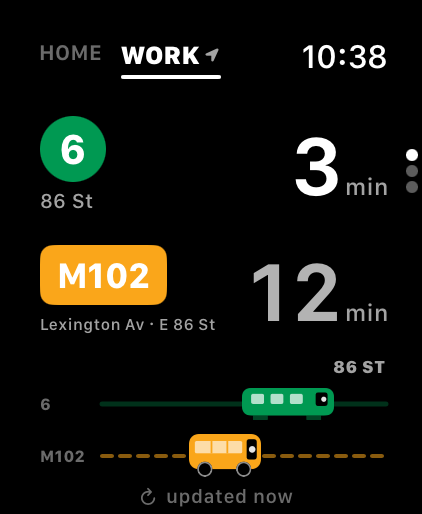
One glance tells you what’s coming. The earlier arrival is already ahead.
 OliveGoNYC
For Apple Watch
OliveGoNYC
For Apple Watch
Your usual train. Your usual bus.
See which arrives first, right on your wrist.
 $0.99 once. Up to eight saved trips.
NYC subway + MTA buses. Set up on your Watch.
No companion iPhone app required.

Pick one or two direct services between two places you know. OliveGo compares their upcoming arrivals. The one due sooner pulls ahead.
Arrival times, not total journey times.
You compare. You decide.
Home to work. Home to the gym.
Save up to eight regular trips, and compare one or two direct services on each.
One glance tells you what’s coming. The earlier arrival is already ahead.
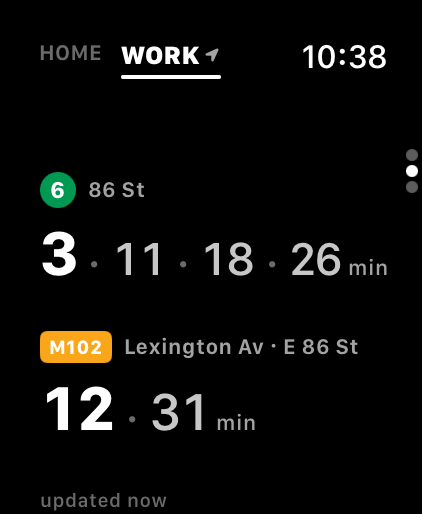
Not leaving just yet? Swipe to see the arrivals after the next one.
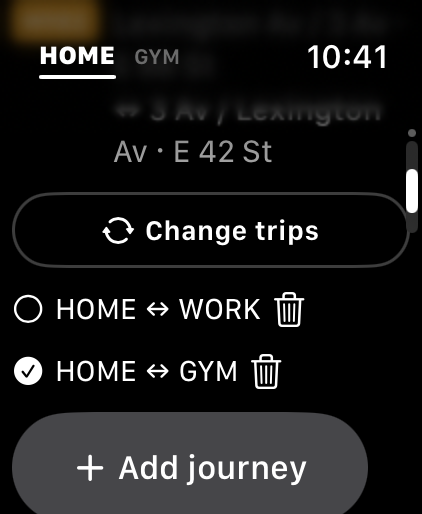
Swipe sideways to switch saved trips. Add, edit or delete them on the Watch.
Actual OliveGo screens · Example journeys and arrivals
Choose your lines and stops, name your places, and you’re set. It all happens on the Watch itself.
OliveGo can pick your direction using location on the Watch, or you can switch it yourself.
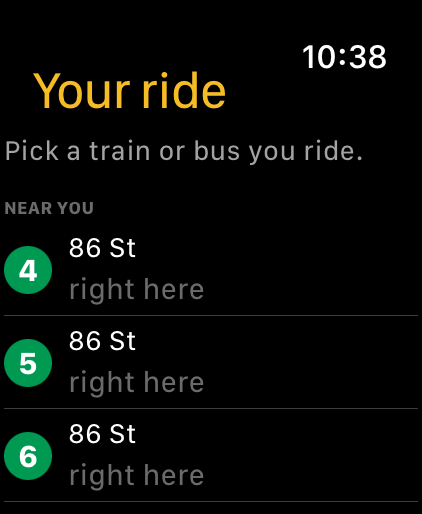
Keep OliveGo right on your Watch face with a handy complication. One tap takes you straight to your saved journeys, so you can check live arrivals and decide which way to go without searching through your apps.

Olive has an Apple Watch. She also has a habit of texting us to ask when the next bus or train is. We would open the MTA site, find the answer, and text back. It seemed like quite a lot of people and devices to answer one small question.
I wanted her to look at her wrist and see her familiar options herself. I couldn’t find an app that did precisely that, so I made one. Getting it onto her independent Watch meant making it publicly available. And here we are.
The little race is for Olive. The glance at what’s next is for anyone who already knows their way around.
— Simon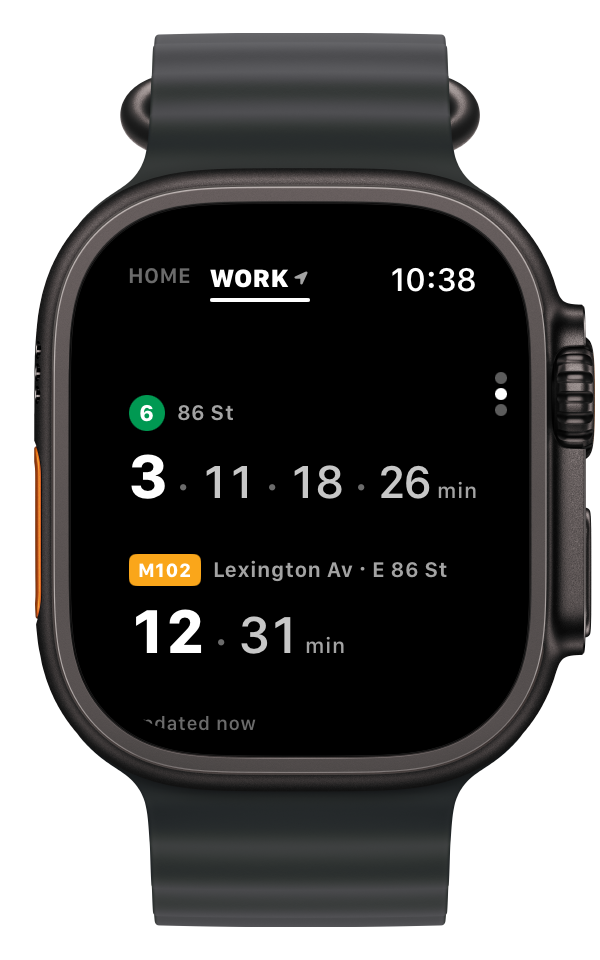
I had planned to make OliveGo free. Getting arrival data onto the Watch requires a small intermediary service, which I pay to run and maintain. The nominal one-time price helps support that service.
That’s the whole fare: no subscription, no in-app purchases, no premium carriage. I wasn’t planning to make a business out of it. At 99 cents, I probably still haven’t.
With Family Sharing, one purchase covers the whole family.
No. OliveGo is a standalone Apple Watch app: setup, saved journeys and arrival times all live on the Watch, and there is no companion iPhone app. It also works on watches set up with Family Setup. It needs watchOS 10 or later and a data connection (Wi‑Fi, cellular or a paired iPhone) to fetch arrival times.
NYC Transit subway lines, including the Staten Island Railway, and MTA buses. Arrival times come from the MTA’s public real-time data.
No. OliveGo compares the next arrivals for one or two direct services you already use between two places. It doesn’t plan routes, suggest transfers or compare total journey times; you decide which to take.
Up to eight saved trips, such as home to work or home to school. Each one compares one or two direct subway or bus services, and you can turn around for the other direction. Swipe sideways to switch between them, and add, edit or delete them on the Watch.
$0.99 once in the US. Up to eight saved trips are included, with no subscription and no in-app purchases.
None. Location is used on the Watch only, to list nearby stops during setup and to guess which way you’re going; it is never sent anywhere. Your places and rides stay on the Watch, and arrival requests carry only public MTA route and stop identifiers. There are no accounts, analytics, advertising or tracking. Read the privacy page.
No. OliveGo is independent. It uses the MTA’s public data and is not affiliated with or endorsed by the MTA.
NEXT STOP — YOUR WRIST
OliveGo NYC for Apple Watch · $0.99 one-time purchase in the US